File manager for Android · 40 languages

Every file.
Easy to find.

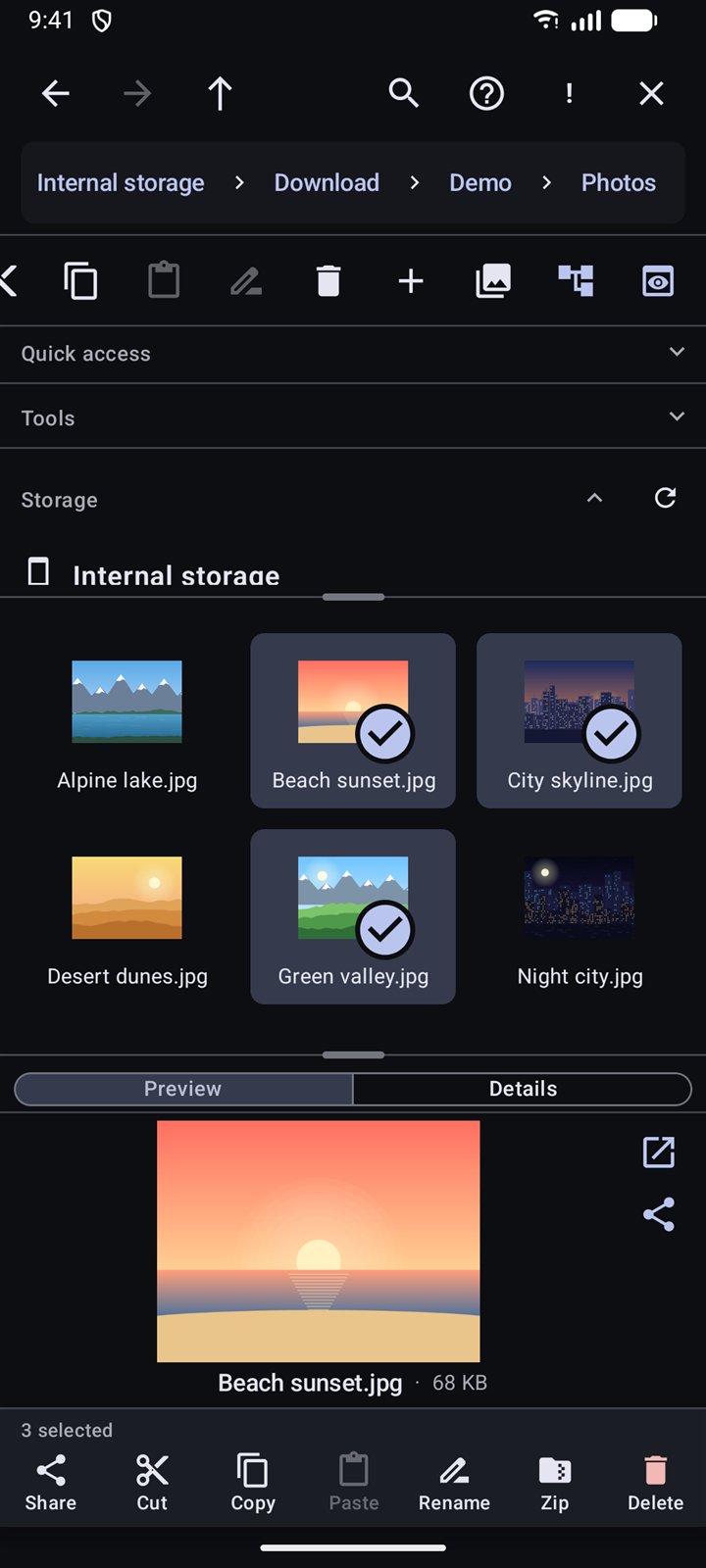
EasyExplorer brings the clarity of a desktop file browser to your phone: a folder tree, your files and a live preview, side by side. Fast to use, simple to learn and private by design.

  • Free
  • No account
  • No analytics
  • Works offline
3panes, like a desktop
40languages
30day recycle bin
0accounts or trackers
Features

Everything you need. Nothing in your way.

From a quick tidy-up to finding one document among thousands, EasyExplorer keeps it simple.

Desktop-style three panes

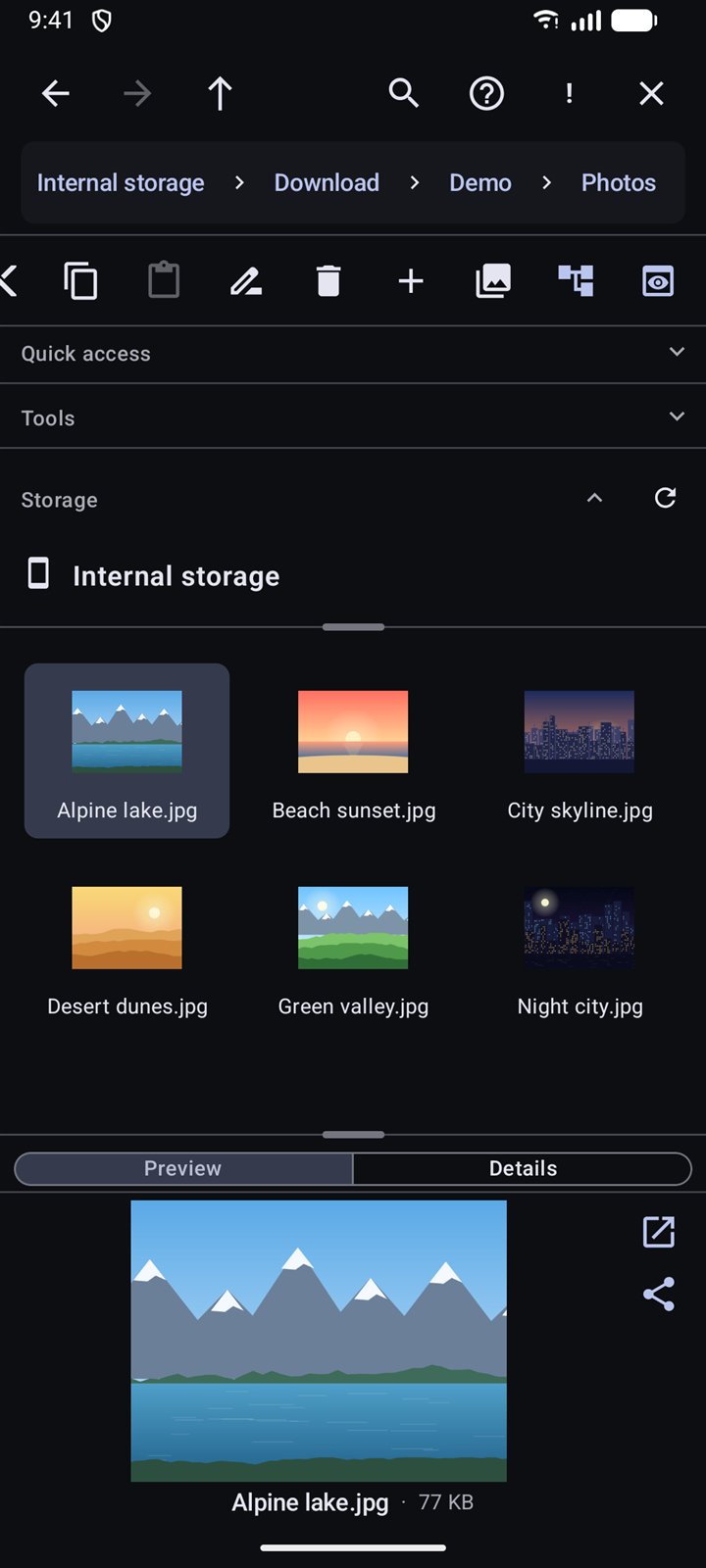
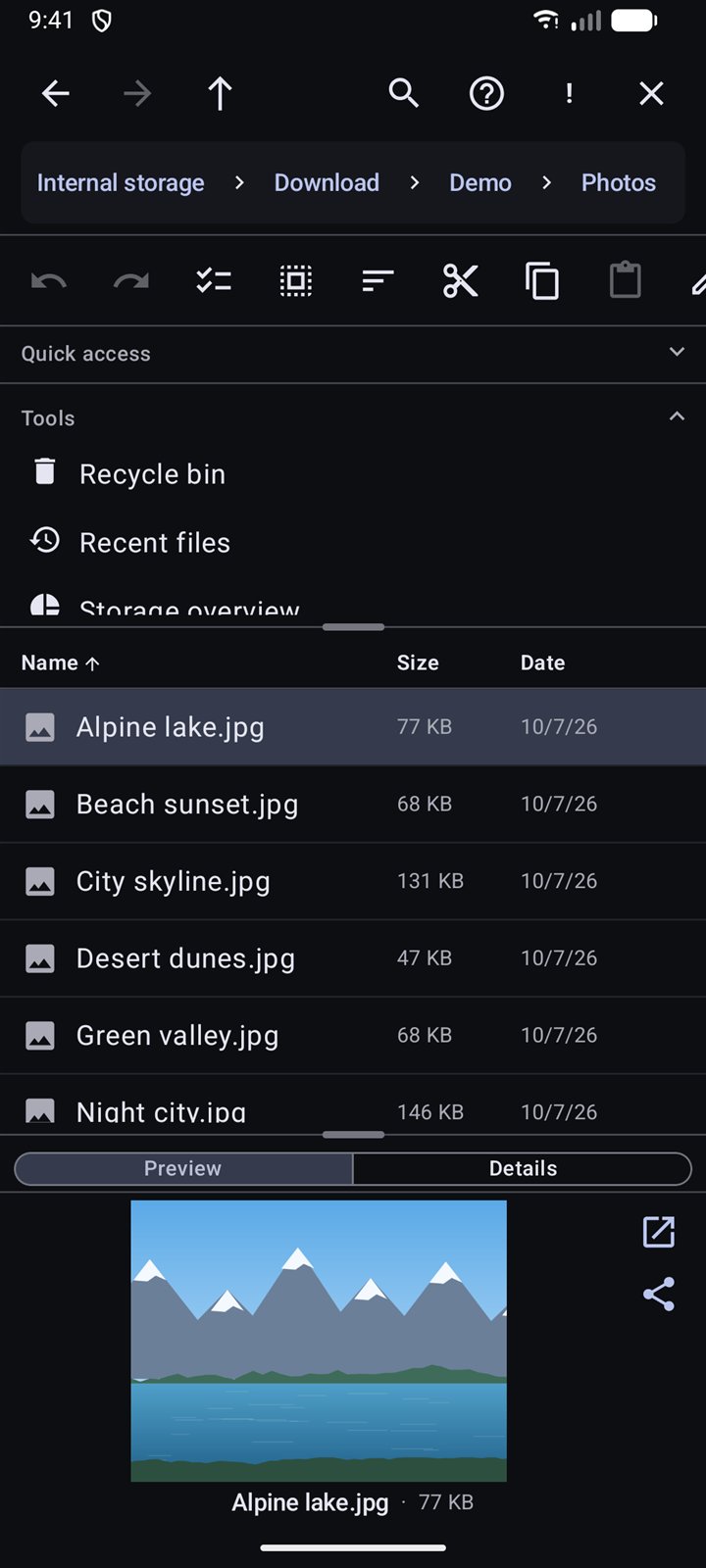
Folder tree, file list and a live preview side by side. Resize the panes or hide them to suit your screen.

Powerful search

Search by name with wildcards, or by type, size and date. Advanced Search even finds words inside documents, PDFs and spreadsheets.

Instant previews

Photos, videos, PDFs, text and app files preview right next to the list. Double-tap a photo to open it full screen and swipe through the rest.

Recycle bin and undo

Deleted files wait 30 days before they're gone, and undo and redo cover moves, renames and more.

ZIP with a password

Create and extract ZIP files, optionally locked with AES-256 encryption. They open in 7-Zip, WinRAR and most zip apps.

Handy tools

Recent files, storage overview, largest files, a duplicate finder, batch rename, app details and MD5/SHA-256 checksums.

Select in a snap

Press and hold to start selecting, or sweep your finger across files. Then share, cut, copy, rename, zip or delete in one tap.

Every drive

Internal storage, SD cards and USB drives, with drag and drop between folders and a folder tree that keeps your place.

Your way

Four views (large icons, small icons, details and preview tiles), light and dark themes, and 40 languages.
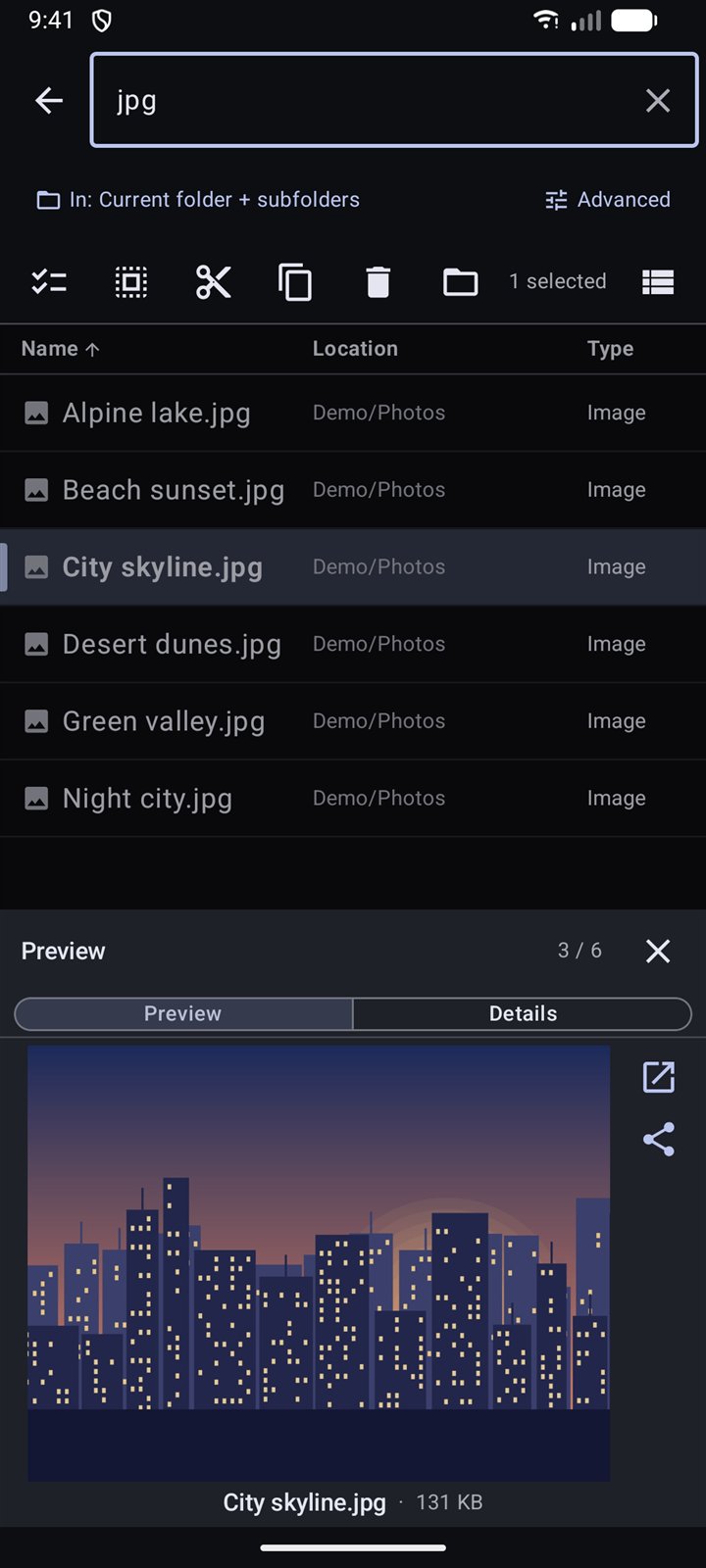
Search results with a live preview of the selected picture
Search

Find it in seconds, see it instantly

Type a few letters and results appear as you type, with the folder each one lives in. Tap a result to preview it, then swipe to flip through the rest.

  • Wildcards like *.pdf, and ! to leave things out
  • Filter by type, size, created or modified date
  • Search one folder, a whole drive or every drive at once
  • Cut, copy, delete or jump to the folder straight from the results
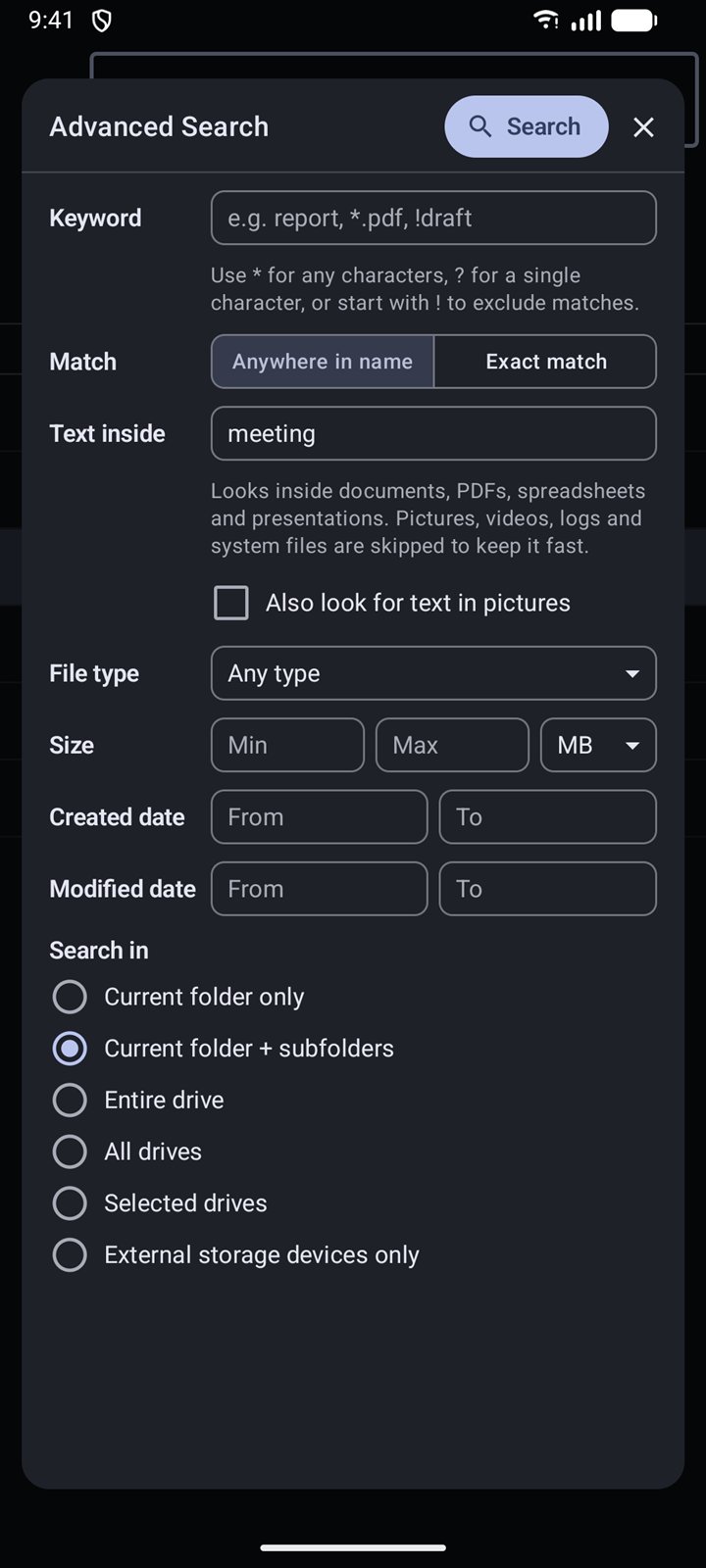
Advanced Search with text-inside-files filter
Advanced Search

Look inside your documents

Remember a word but not the file name? Advanced Search reads inside documents, PDFs, spreadsheets and presentations, and can even find text in pictures.

  • Combine name, text, type, size and dates in one search
  • Pick exactly which drives to search
  • Skips system files and media to stay fast
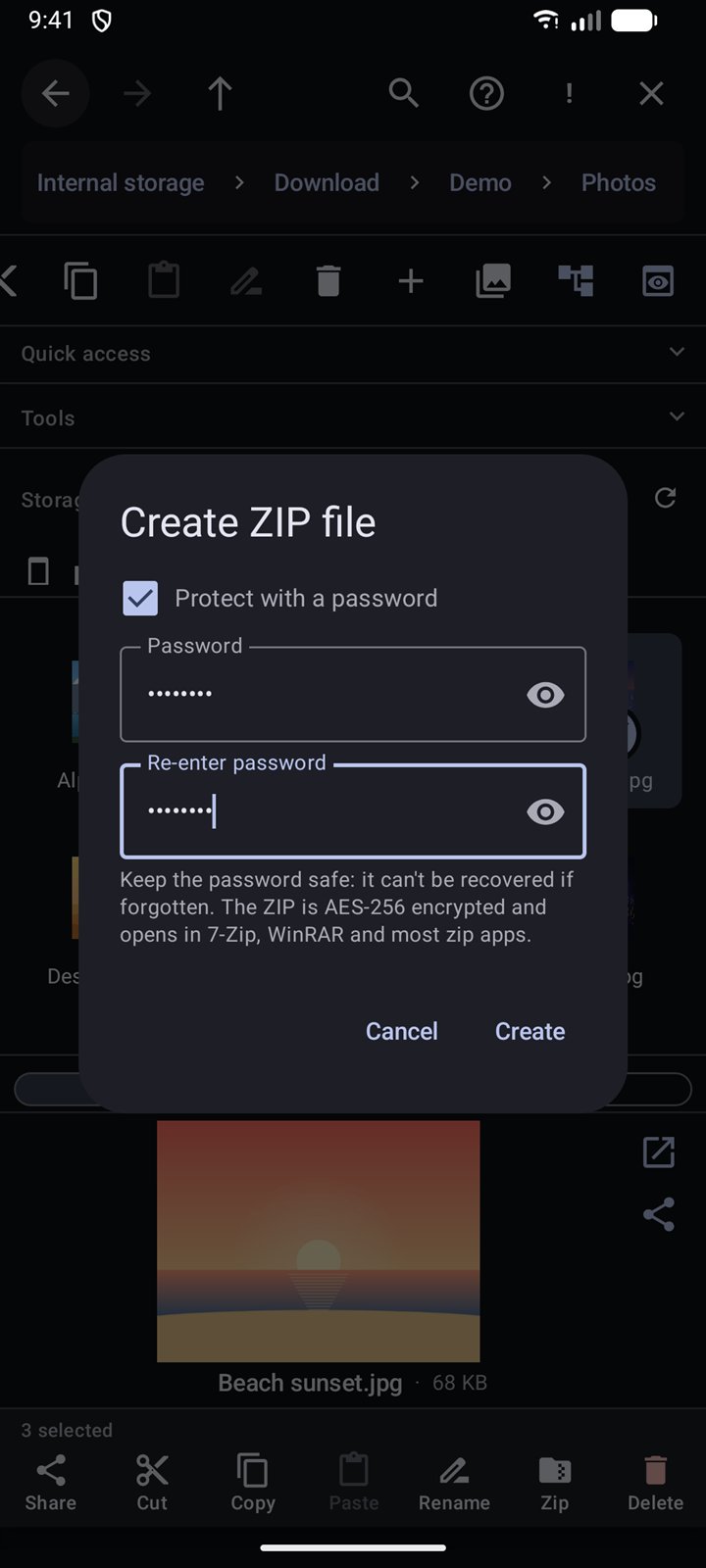
Creating a password-protected ZIP file
ZIP and security

Pack files up and lock them down

Select a few files, tap Zip, and choose whether to protect the archive with a password. EasyExplorer uses strong AES-256 encryption that other zip apps understand.

  • Extract ZIPs with one tap, password-protected ones too
  • Password entered twice, so typos never lock you out
  • Nothing is uploaded: everything happens on your phone
Big screens

Turn sideways, see everything

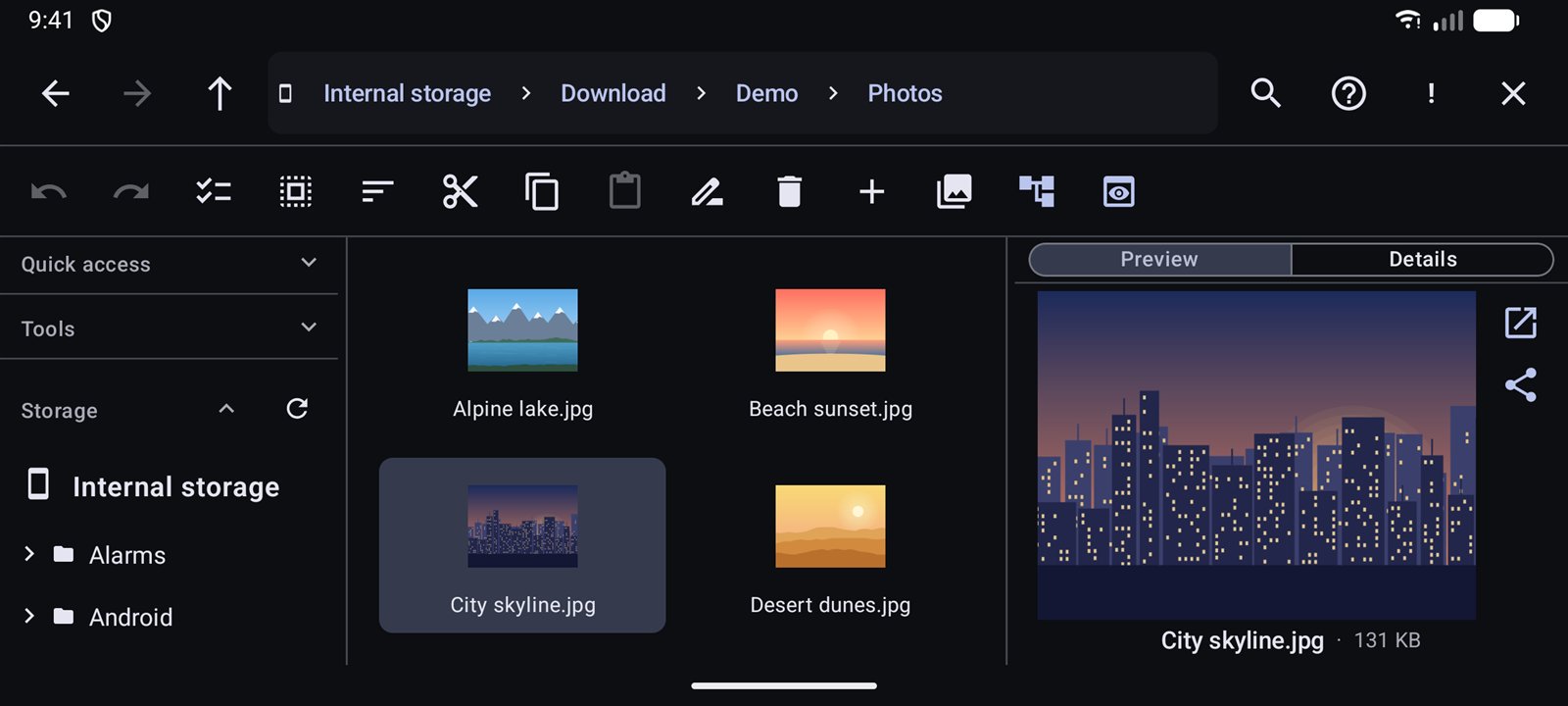
In landscape and on tablets, all three panes sit side by side, just like on a computer.

EasyExplorer in landscape showing the folder tree, file tiles and a preview
Folder treeYour filesLive preview
Screenshots

Take a closer look

Tap any screen to enlarge it.

Privacy first

Your files stay yours

EasyExplorer works entirely on your phone. There is no account to create, no analytics, and your files never leave your device unless you choose to share them.

EasyExplorer is free. A few small, non-personalised banner ads help keep it that way.

Read the privacy policy

No account, no sign-inOpen the app and start using it.
No analytics or trackingThe app doesn't watch how you use it.
Files stay on your deviceSearch, previews and ZIPs all run locally.
Languages

Speaks your language

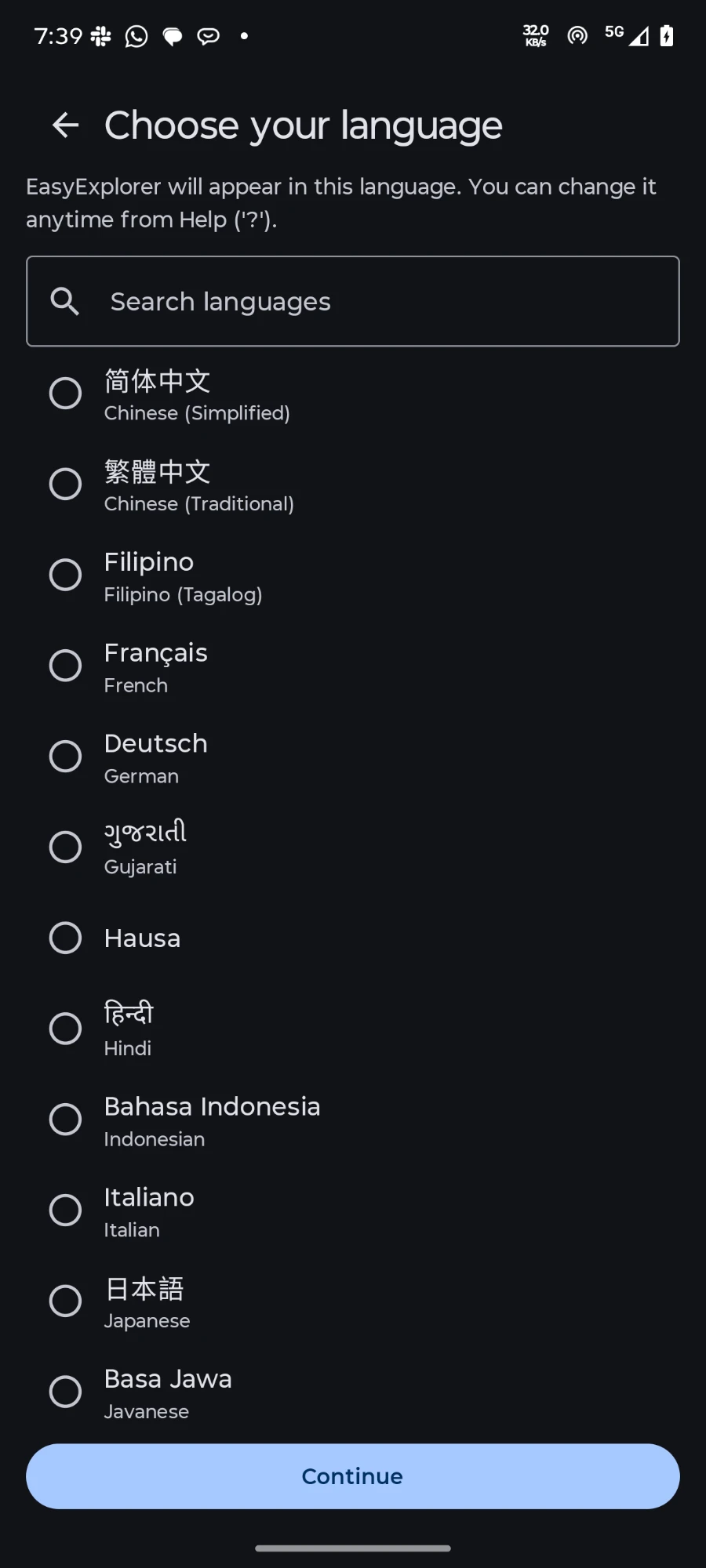
Choose from 40 languages when you first open the app, and switch anytime from Help.

Englishहिन्दीবাংলাespañolfrançaisDeutsch portuguêsрусскийالعربية简体中文繁體中文日本語 한국어Bahasa IndonesiaTürkçeTiếng Việtไทยitaliano polskiукраїнськаفارسیاردوதமிழ்తెలుగు मराठीગુજરાતીಕನ್ನಡമലയാളംਪੰਜਾਬੀଓଡ଼ିଆ KiswahiliFilipino…and more
FAQ

Questions, answered

Is EasyExplorer free?

Yes. Every feature is free to use. A few small, non-personalised banner ads keep it that way, and there are never any video or pop-up ads.

Why does it ask for "All files access"?

A file manager needs to see your folders to browse, search, move and delete files on your behalf. Android grants this through the "All files access" setting. EasyExplorer only uses it to show and manage your files on your phone.

Does it upload or collect my files?

No. Browsing, searching, previews and ZIPs all happen on your device. There are no accounts and no analytics. Files leave your phone only when you choose to share them.

I deleted something by mistake. Can I get it back?

Usually, yes. Deleted files go to the Recycle bin (under Tools) and stay there for 30 days, so you can restore them. Undo also reverses your most recent changes.

Does it work with SD cards and USB drives?

Yes. Internal storage, SD cards and USB drives all appear in the folder tree, and you can search one drive, several, or all of them.

Will a password-protected ZIP open on my computer?

Yes. EasyExplorer uses standard AES-256 ZIP encryption, which opens in 7-Zip, WinRAR and most other zip apps. Keep the password safe, because it can't be recovered.

EasyExplorer app icon

Make your files easy

Download EasyExplorer from Google Play. It's free, it's fast, and it respects your privacy.